
 Company
 Team
 Local Government Partners
 Case Study
 Company News
 Team Member Spotlight
 Managed IT Services
 Co-Managed
 Managed AI Services
 Managed Security Services
 Co-Managed Security Services
 Data Backup + Disaster Recovery
 Compliance as a Service
 SharePoint
 Power BI
 Web Design + Hosting
 Application Development
 Businesses
 Municipalities
 Local Government Services
 Healthcare
 Manufacturing
 Aerospace and Defense
 Guides
 News
 Events
 Municipalities
 Healthcare
 Managed IT Services
 Compliance
 Cybersecurity
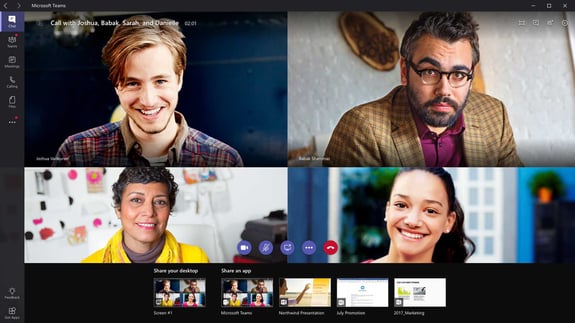
Whether you’re coordinating across office locations, working from home, or meeting with clients, you need a practical way to bring people together. Microsoft Teams lets you schedule conference calls with colleagues and clients without gathering everyone in the same room. Follow the steps below to set up your next meeting.
1. To start, make sure you have Microsoft Teams installed and you're signed in with your Microsoft account.
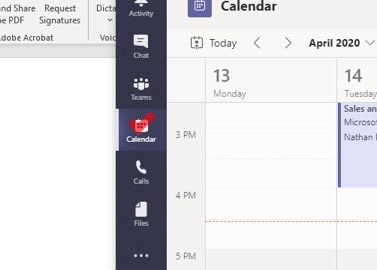
2. In Microsoft Teams, click on Calendar.
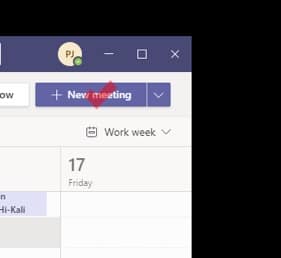
3. Click on ‘New Meeting’ on the top right of your window.
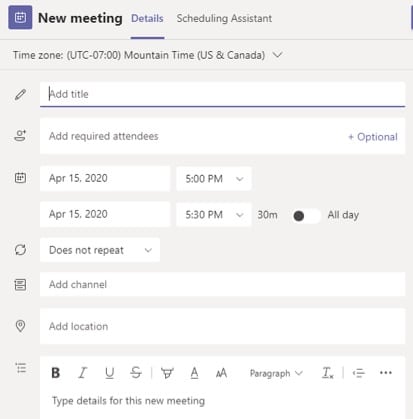
4. Fill out the meeting details.
a. Choose ie: Sales and Marketing weekly meeting
b. Type in attendees that are part of your organization or invite external attendees.
c. Choose date and time
d. Optional – Choose Channel
e. Optional - Type in any particular details for the meeting.
5. Double-check if you have all the necessary and correct information and click send!
Notes: Attendees will receive a unique conference ID# in their email (below). Choices to call in via phone or join online are provided in the conference bridge.